Key takeaways
- Choose the label footprint and documented band first, then qualify the exact printer configuration and roll construction.
- OM-110, OM-130, OM-140 and OM-120 are listed for 902–928 MHz; a verified European-band variant is not established by the current records.
- A printable face and writable EPC do not establish printer certification, ribbon compatibility or support for a particular roll layout.
- Approve artwork, EPC allocation and the replacement policy together so visible IDs and encoded data stay linked after rejects or reprints.
- Test mounted samples and define accepted good-label quantity, failure records and replacement handling before a bulk order.
Buy printable on-metal RFID labels as a label, roll and print-and-encode combination. OM-110, OM-130, OM-140 and OM-120 offer different footprints, but none should be approved for your printer from size or protocol alone. Decide whether you will print and encode in-house or request that work in the supply quote, then qualify samples and agree on accepted data and label quality before ordering a production batch.
Compare the four label formats
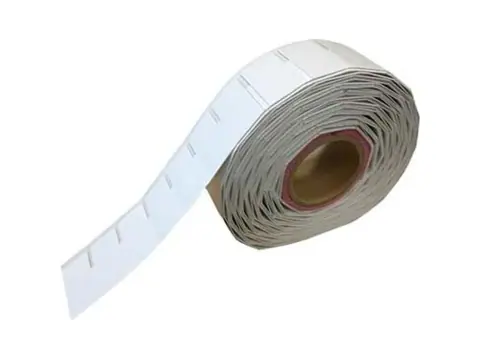
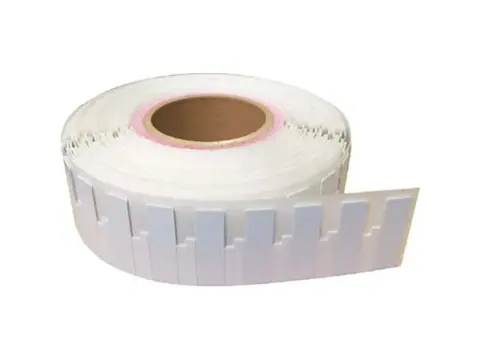
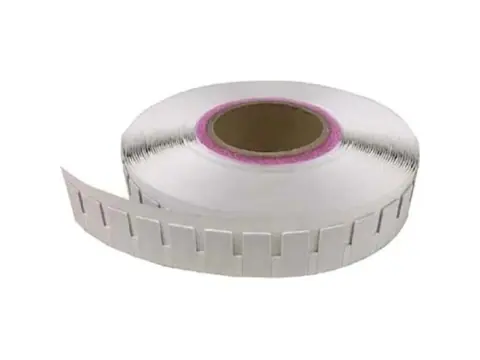
All four candidates are described as flexible PET adhesive labels with printable faces. Their documented frequency band is 902–928 MHz. Confirm the exact supplied chip, label revision, memory map and EPC Gen2 interface before approving the data specification. Printing and EPC encoding are listed customization options; the actual order format and service scope still need confirmation.
On small screens, scroll the comparison tables sideways to read all columns.
| Candidate | Listed dimensions | Format distinction | Procurement question |
|---|---|---|---|
| OM-110 printable label | 65 × 35 × 1.25 mm | Largest face in this shortlist | Does the asset have room for the label and the approved artwork? |
| OM-130 narrow label | 55 × 15 × 1.2 mm | Narrow face for restricted mounting space | Can the required text and barcode fit and remain readable? |
| OM-140 small sticker | 30 × 15 × 1.2 mm | Smallest footprint in this shortlist | Will the final artwork and required reading distance work on the actual item? |
| OM-120 frangible label | 60 × 25 × 1 mm | Intended to break apart during removal | What visible damage is required, and must the chip also stop responding? |
The dimensions are product references, not complete printer-media specifications. Confirm measurement tolerances and whether the thickness includes the release liner. Do not infer roll orientation, core diameter, label pitch or a guaranteed printable area from the footprint.
For a project outside the listed 902–928 MHz band, request exact variant documentation and evaluation samples. A read-distance reference alone does not establish a verified European-band version or frequency approval.
For metal-surface behavior and mounting choices, use the RFID on metal guide. This buying decision concerns how a selected label will be supplied, printed, encoded and accepted.
Identify the exact printer configuration
Record the complete printer model and installed hardware configuration, rather than only the printer family. Include the RFID option, any on-metal media kit, resolution, printer firmware, RFID reader firmware and regional configuration. Request evidence for the exact label revision and proposed setup; the current product records do not establish printer certification for these four SKUs.
Zebra’s ZT411 on-metal solution sheet describes a dedicated printhead and sensor arrangement for thicker RFID media. That demonstrates why the configuration matters. Its specified media combinations do not qualify OM-110, OM-130, OM-140 or OM-120, and its thickness limits must not be transferred to these labels as compatibility approval.
The printer confirmation should cover:
- Media path: accepted thickness measurement, thickness variation, printhead contact and sensor clearance.
- RFID position: antenna placement within the label, direction of travel and proposed encoding position.
- Print consumables: printing method, face material, ribbon type and width, and the proposed print speed and heat settings.
- Handling mode: tear-off, peel, rewind or other installed mode; support for the roll and liner in that mode.
- Job software: application and driver versions, the label template and whether the job changes printer settings.
There is no documented ribbon recommendation or environmental print-durability rating for these four labels in the current records. Ask for a compatible consumable proposal, then inspect printed samples after the handling and cleaning your assets actually experience.
Specify the complete roll construction
“65 × 35 mm on a roll” leaves most feeding requirements unresolved. A roll drawing should mark which dimension runs across the web and which runs in the feed direction. It should also show the RFID antenna’s position relative to the liner edges and the start of each label.
Zebra’s ZT400/ZT600 media guideline distinguishes inlay position and pitch and describes settings that depend on those positions. Use the current guidance for your exact printer when reviewing a drawing; do not copy its dimensions into a label order without checking the proposed media.
| Roll item | Specify or request confirmation |
|---|---|
| Label and web | Finished label dimensions, liner width, edge margins and feed orientation |
| Thickness | Nominal and maximum thickness; whether the measurement includes the liner |
| Repeat layout | Label gap and pitch; single or multiple lanes; antenna position and placement tolerance |
| Sensor reference | Gap, notch or black mark; dimensions, position and liner properties needed for detection |
| Roll fit | Core inside diameter, maximum outside diameter, winding direction and printed face in or out |
| Quantity and packing | Labels per roll, roll count, leader and trailer, permitted splices and splice identification |
| Traceability | Label revision, material or chip substitutions requiring approval, and batch identification |
These roll specifications are not currently published for the four SKUs. Request a drawing and confirmation rather than assuming a standard core, gap or winding direction. If a production roll differs from the sample roll, identify the difference and repeat the affected feeding and encoding checks.
Qualify printing and RFID encoding separately
A readable printed label can still have incorrect RFID data, and an encoded tag can still have unacceptable artwork. Approve both results on the same sample job.
Zebra’s RFID Programming Guide 3 separates ordinary media calibration from RFID tag calibration. For the supported printers, RFID calibration determines the encoding position and read/write settings, with antenna selection where available. Follow the manual for the exact model and firmware; retain the surrounding labels required by that calibration procedure rather than testing an isolated sticker.
Use a pilot with the proposed roll, ribbon and production template:
- Check feeding and artwork. Confirm sensing, registration, print placement, readable text and the agreed barcode quality criteria. Inspect for creasing, surface damage or liner problems.
- Check RFID setup. Complete the printer-specific calibration and save the configuration and result. Record any settings overridden by the job template.
- Run consecutive labels. Read back the intended data and check neighboring labels for unintended writes. Include stop/restart and reject/reprint cases in the trial.
- Check after application. Read the labels on representative assets in the intended position with the project’s reader. Keep the print and encoding checks separate from this mounted-item test.
Do not approve a bulk order solely because one loose sample encoded successfully. Agree on pilot quantities, variation and acceptance criteria for the actual workflow; no universal sample count or yield threshold is established here.
Approve artwork and the EPC data order together
First choose the supply format: blank printable labels for your own process, printed labels with encoding performed elsewhere, or a quote for combined printing and encoding. Specify who owns each step and who approves the proof. List text, logos, barcode symbology, barcode contents and placement; do not treat the usable print area as identical to the outside label dimensions.
Define the identity separately from its representations. A visible asset number, barcode and EPC hexadecimal value can differ while referring to the same item, provided the agreed mapping is correct. The GS1 EPC Tag Data Standard defines EPC representations and includes GIAI for individual assets. If the project requires GS1 identifiers, confirm the applicable scheme, allocated identifiers and encoding with the system owner; do not invent a GS1 Company Prefix or present an internal numbering scheme as GS1 compliant.
Request confirmation of the exact chip and memory map before choosing EPC length or additional stored data. The chip name alone is not the complete order specification. The GS1 Gen2 standard defines separate memory banks and commands; it does not establish which optional features your supplied label implements. Specify any write protection separately, and approve supported locking behavior before it is applied.
The data handoff should identify the file version, field definitions, serial allocation, expected EPC values, artwork version and required read-back report. Include how printed values map to the asset register, and which tag identifier fields are available if the report is to include TID. For encoding operations and verification details, see the UHF tag encoding guide.
Define sample and bad-label acceptance
Start with the actual asset surface, finish, curvature, placement and preparation method. The records describe adhesive, flexible labels, but do not establish adhesive chemistry, minimum bend radius, application temperature, service-temperature limits or chemical and UV resistance. Obtain the missing limits and test the assembled samples under the relevant conditions before accepting those properties in a purchase specification.
For OM-120, test removal on the specified surface and document the visible damage. Frangible construction does not prove that a peeled or torn tag stops responding. If electronic disablement after removal is required, state it as a separate requirement needing evidence and sample validation.
Set separate acceptance criteria for physical condition, print quality, encoding correctness, ID uniqueness and mounted read performance. Agree which checks apply to every delivered good label and which use an agreed sampling plan. Define the acceptance quantity as usable, conforming labels rather than leaving it unclear whether rejects count toward the order.
Zebra’s programming guide describes configurable error handling that can void a label and retry the same job data. VOID is a process result, not proof of a dead chip. Keep rejects segregated and reconcile the log, attempted IDs and accepted replacements before releasing a batch.
The replacement policy should answer three practical questions:
- Does the replacement keep the asset ID, and how is the original rejected label removed from circulation?
- Does the printer or software retry automatically, and how are skipped records or duplicate EPCs detected?
- What accompanies a disputed label: roll and batch reference, printer configuration, expected data, observed result and retained sample?
Agree who investigates failures and supplies replacements, and what evidence is needed. Do not transfer one successful printer run to a different ribbon, label revision or asset surface without reviewing the change.
Copy this checklist into your RFQ
Send the following to obtain a specific sample proposal and supply quote:
- Project: destination country, reader band, asset materials and intended reading conditions.
- Candidate: OM-110, OM-130, OM-140 or OM-120; available mounting area and required label revision.
- Printer: exact model, installed RFID/on-metal options, resolution, printer and RFID firmware, regional configuration and handling mode.
- Roll: drawing, label orientation, web width, gap/pitch, sensor marks, antenna position, thickness basis, core, outside diameter, winding and labels per roll.
- Printing: blank or printed supply, proposed ribbon, artwork and barcode requirements, and proof approval owner.
- Data: numbering owner, scheme, EPC length and values, file format, mapping report, and any requested protection settings.
- Environment: surface preparation, curvature, application and service conditions, cleaning agents and any required removal behavior.
- Acceptance: sample quantity, pilot setup, good-label quantity, pass/fail criteria, reject records and replacement/reprint policy.
- Commercial scope: initial and repeat quantities, packing, requested delivery date and documents required before production approval.
For the wider installation, use the RFID asset tracking application. To compare candidates and select an exact SKU for a quote or sample request, use the printable label comparison. Include the printer configuration, roll requirements and artwork/data requirements. Compatibility, customization scope, missing ratings and supply terms should be confirmed in the resulting specification.
Sources
External references checked 2026-10-03; product comparison and inquiry path reviewed 2026-10-07. These references support printer setup and identification principles; they are not printer certifications or environmental test reports for the four labels compared here.
- Zebra RFID On-Metal Tagging Solution Sheet: an example of hardware and media being specified as a particular combination.
- Zebra ZT400/ZT600 RFID Media Guideline: model-specific inlay position and pitch considerations.
- Zebra RFID Programming Guide 3: media/tag calibration, verification and error handling for its supported models.
- GS1 EPC Tag Data Standard: EPC identity representations and asset identification schemes.
- GS1 EPC Gen2 Air Interface Standard: tag memory organization and protocol commands.
Frequently asked questions
Will these labels work with any UHF RFID printer?
No universal printer compatibility is established. Confirm the exact printer model, on-metal hardware option if applicable, printer and RFID firmware, media thickness, roll layout and ribbon. A sample run is needed for the proposed combination; an EPC Gen2 interface alone does not establish media compatibility.
Is a printer's maximum media thickness enough to approve a label?
No. Confirm how the stated thickness is measured, including the liner where applicable, and check the printhead, sensor, feed path and RFID inlay position. The product records list nominal label thicknesses but do not provide a complete roll drawing or printer qualification report.
Are these four labels verified for European-band systems?
Their documented band is 902–928 MHz. A verified 865–868 MHz variant or European printer and reader combination is not established by the current product records. Request the exact variant's band documentation and evaluation samples for the destination project; a read-distance reference alone does not establish frequency approval.
Must the printed asset number equal the EPC hexadecimal string?
No. The printed identifier and EPC can use different representations, provided an agreed mapping identifies the same asset. Approve the artwork, data format and read-back report together, including how duplicates, rejected labels and reprints are handled.
Does a VOID mark prove that an RFID chip has failed?
No. A printer can reject a label because it could not complete or verify the encoding job; setup, media position or other process conditions may be involved. Segregate rejects, examine the job records and agree how they are investigated and replaced. Do not assume the tag is unreadable just because it is marked VOID.
Does removing OM-120 disable its RFID chip?
That is not established. OM-120 is described as a frangible label that breaks apart during removal, giving visible evidence of disturbance. Chip failure after peeling, resistance to particular removal methods and performance on the chosen adhesive surface need separate confirmation and testing.
Want a second opinion on your spec?
Send your application, existing hardware, interfaces and quantities — we'll review the requirements and quote within 24 hours.