A warehouse RFID system puts EPC Gen2 UHF tags on pallets, cartons and returnable equipment, then reads them automatically at dock doors, conveyor tunnels and portals. Handheld readers cover the gaps between fixed read points. The hardware core is a multi-port fixed reader driving circularly polarized antennas at each choke point and sending tag reads to your WMS over TCP/IP.
The problem RFID solves in a warehouse
Barcode workflows need line of sight and one scan per label, which is why receiving, shipping and cycle counts take so much labor and still miss items. A UHF reader inventories many tags in one pass without pointing at each one, so a pallet can be checked as it crosses the dock threshold.
The building makes this harder than a bench test. Racking, trailers and metal cages reflect RF energy, and liquids in cartons absorb it. Adjacent dock doors sit only a few meters apart, so a reader aimed at one door can pick up loads staged at the next. Reliable results come from the right tags, controlled read zones and reads triggered only when a load is moving.
How a typical system is laid out
Every read point follows the same chain: tag → antenna → reader → software.
- Tags. Passive EPC Gen2 tags (ISO/IEC 18000-63) carry an EPC identifying the pallet, case or asset. Paper or PET labels go on cartons and pallets; on-metal or tie-on tags go on returnable metal equipment.
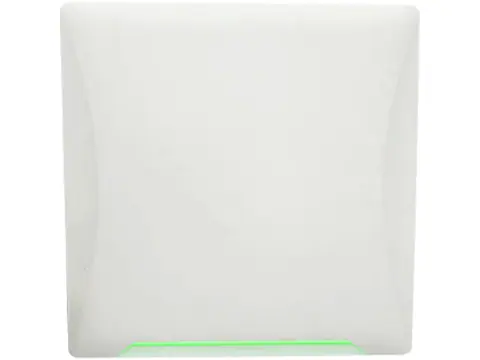
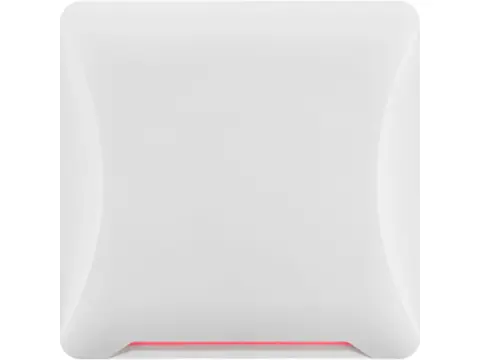
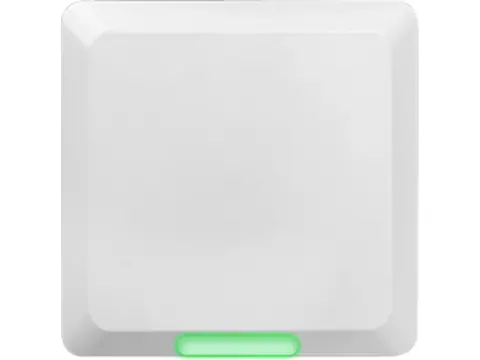
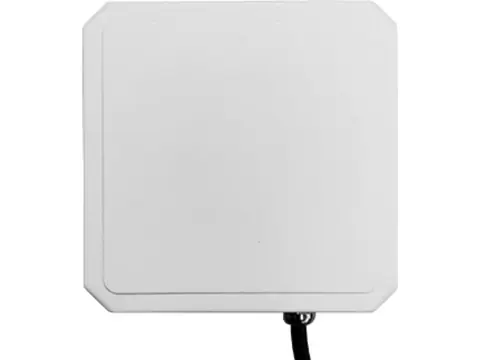
- Antennas. Panel antennas on the door frame or tunnel walls define the read zone. Circular polarization is the usual choice because tag orientation on a pallet is unpredictable.
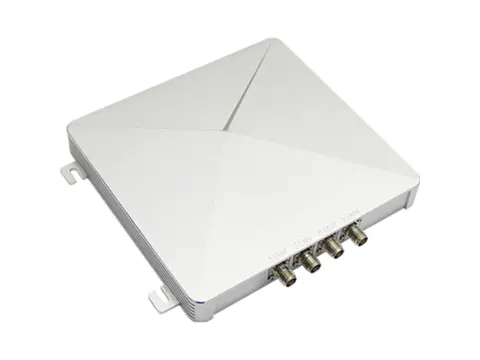
- Readers. A fixed reader with four or eight antenna ports drives the antennas in turn, reports which port read each tag and provides GPIO for sensors and stack lights.
- Software. Middleware or the WMS removes duplicate reads, works out which door and direction a tag passed, and posts receipts or shipment confirmations.
Handhelds handle cycle counts and exceptions, while USB desktop reader/writers encode and verify tags before they go into circulation.
Planning antennas for dock doors, tunnels and portals
Antenna count follows the opening, the load height and how loads move through. Use these starting points, then confirm with loaded pallets at operating speed:
- Standard dock door (about 2.4–3 m / 8–10 ft wide), single-height pallets: two antennas, one on each side of the frame, facing across the opening.
- Tall or mixed pallets, wide doors, or loads with liquids or metal: four antennas, two per side at low and high positions, so the whole load passes through overlapping fields.
- Conveyor tunnel: two to four antennas above and beside the belt inside a shielded or absorber-lined tunnel, and up to eight when tags can face any direction.
- Doorway or cart portal between zones: two antennas on opposite sides of the opening.
Most fixed readers switch between ports, so every added antenna shares the same read time. Two adjacent two-antenna doors can share a 4-port reader, and two four-antenna doors can share an 8-port reader. Fast-moving forklifts then get fewer read cycles per antenna, so test before committing to shared readers. Because the reader reports the port for each read, software can still assign every tag to the correct door.
Dense-reader sites. When many readers share a building, one reader’s carrier can drown out the weak tag replies another is listening for. Where the reader offers a dense-reader profile, enable it: tags reply on a Miller-encoded subcarrier that sits away from neighboring carriers. Also trigger each reader from a photo-eye or motion sensor on its GPI, and set the lowest power that reads reliably.
Regional power limits. Readers ship in FCC (902–928 MHz) or ETSI (865–868 MHz) versions, so order the one for the installation country; our UHF frequency guide by country lists other bands. Set conducted power so the radiated power after antenna gain and cable loss stays within the local limit: 4 W EIRP under FCC Part 15, 2 W ERP under ETSI EN 302 208. A reader’s maximum setting is not automatically compliant with a high-gain antenna.
Hardware selection by zone
| Location |
Recommended hardware type |
Key spec to check |
| Receiving and shipping dock doors |
4- or 8-port fixed reader with circularly polarized panel antennas |
Port count, adjustable RF power, GPI/GPO, TCP/IP |
| Conveyor tunnel or sortation line |
8-port fixed reader with compact antennas in a shielded tunnel |
Tags per second, antenna count, cable length |
| Doorways between zones |
4-port fixed reader with two antennas |
Read-zone control, direction logic in software |
| Aisles, racking and cycle counts |
Android UHF handheld with barcode imager |
Band version, read range, hot-swap battery, Android version |
| Tag commissioning and exception desk |
USB desktop UHF reader/writer |
EPC and User memory write, lock support, short read range |
| Returnable cages, roll containers, metal bins |
On-metal tags or cable-tie tags |
Mounting surface, band tuning, fixing method |
Compare gain, beamwidth, connector and IP rating on our UHF antennas page, and read circular vs linear polarized antennas before choosing between them.
Integration and installation notes
Work through this checklist before you order:
Typical bill of materials
For a site with several dock doors, a conveyor tunnel and a cycle-count team:
- Fixed readers: one 4-port reader per door, or one 8-port reader per pair of doors
- Antennas: two to four circularly polarized panel antennas per door; compact antennas for each tunnel
- Antenna cables: low-loss coax cut to the measured runs, with matching connectors
- Handheld readers: Android UHF handhelds with spare batteries and chargers
- Desktop reader/writers: one per commissioning or exception station
- Tags: on-metal and cable-tie tags for returnable metal equipment; carton labels from your label supplier
- Site items: photo-eyes, stack lights, bollards, DC supplies or PoE ports, and a network drop at each reader
Why source from a single supplier
Warehouse projects stall when parts from different sellers disagree: a reader in the wrong band, antennas with the wrong connector, tags tuned for another region. When readers, antennas, cables, handhelds, desktop writers and on-metal tags come from one supplier, the whole order is checked as a set.
- Samples first. Test tag samples on your own cages and pallets with the reader you plan to install.
- Compatibility checks. We confirm band versions, connectors, cable lengths and interface documentation against your integration plan.
- Mixed orders. One RFQ and one shipment covers every read point, from a single door to a phased rollout.
- Tested before dispatch. Readers are powered up and checked before they ship.
Next steps
Send your door count and dimensions, pallet heights, conveyor speed, installation country and the WMS or middleware you use. We will propose a reader and antenna layout, shortlist tags to sample and quote within 24 hours.